Know every site. Connect every detail.
Bring inventory, network intelligence, documentation and service desk work together—so your technicians spend less time searching and more time solving.
How FieldStack connects
One thread from customer to the work that gets done
FieldStack links each customer to their sites, each site to its devices and network, and that context to the tickets your team works on. Nothing lives in a separate tab.
The account
A single record for each customer and the sites they operate, with the people and details that matter.
The location
Each site becomes a workspace holding its documentation, notes and configuration context in one place.
The evidence
Inventory, switch ports, VLANs and connection paths are captured with the source behind them.
The resolution
Tickets, conversations and technician assignments carry all of the above, plus time logged against them.
What's inside
Everything a site needs, in one connected view
Built around the way MSPs actually work: discover what's there, understand how it connects, document it, and resolve the work with full context. Select any screenshot to open a larger view.
Device inventory & discovery
Connect UniFi, SNMP and other sources to build a live device inventory per site—what's there, where it sits, and how each piece connects.
Topology & evidence
See switch ports, VLANs and connection paths with the evidence behind them.
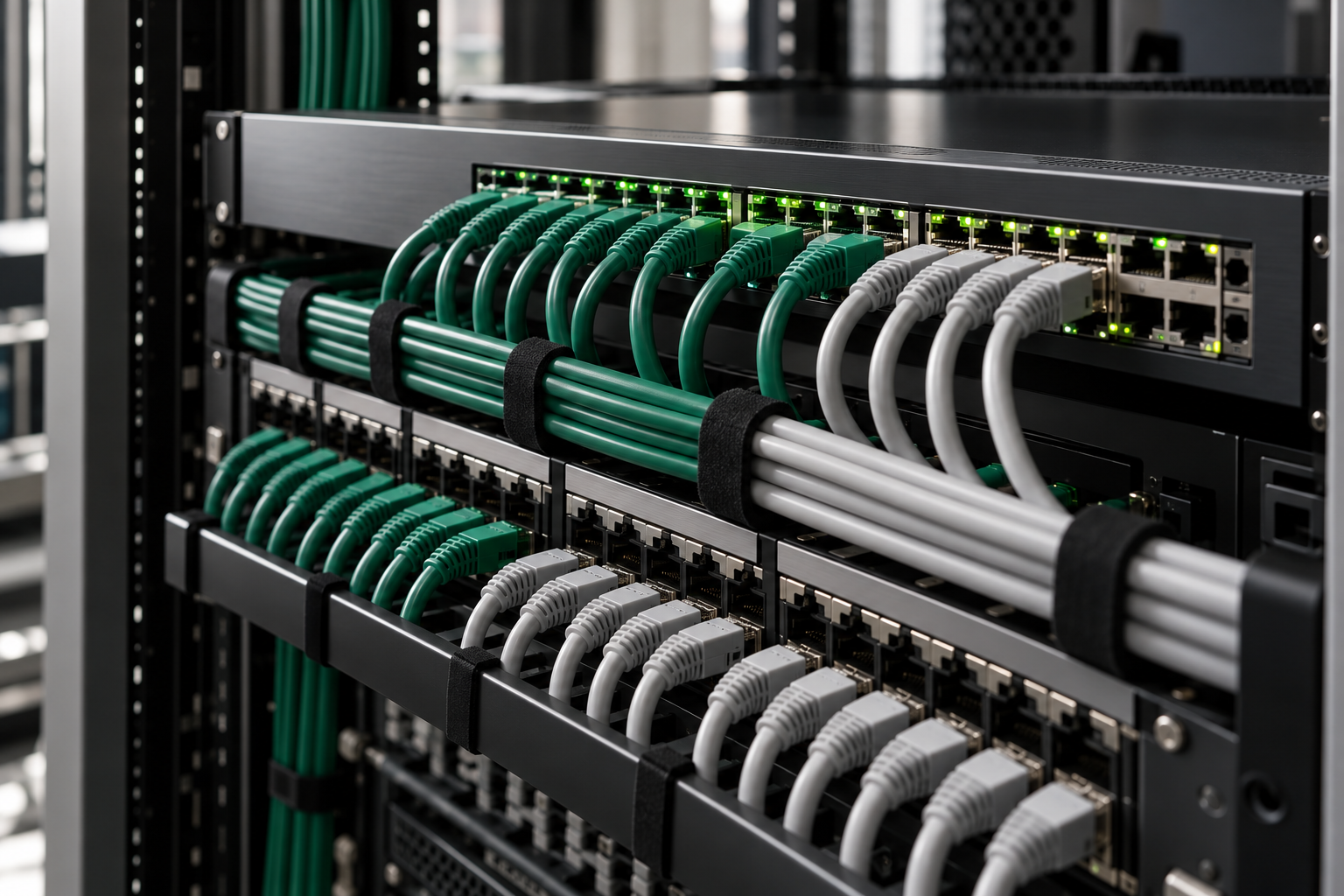
Network context, visualised
The inventory and topology features sit side by side with the live network they describe—racks, switch ports, VLANs and connection paths captured with their source, so what you see on screen matches what's in the cabinet.
Service desk that carries context
Track tickets, keep customer conversations in context, and assign work to the right technician—each one linked to the site, device and documentation it touches.
The ticket conversation
Every reply, note and work entry stays in one thread—so the full story of a job is right where you close it.
- Customer replies — inbound messages from the requester, kept in context with the site and device.
- Internal notes — staff-only observations and findings, clearly marked and never sent to the customer.
- Time entries — billable hours logged against each step, ready for monthly exports.
Customer workspace & CRM
Every customer and site gets a home for notes, diagrams and documentation your team keeps current. Bring customer information, sites and documentation into one connected workspace.
Technician Toolbox
Bring your tools to the site
A portable Windows application puts practical field tools in one place. Open Windows diagnostics, investigate DNS and connectivity, copy files, create recovery backups and guide user migrations without switching between a collection of utilities.
- Diagnose the workstation — Windows tools, repair utilities and storage checks.
- Check the network — DNS lookups, ping, port checks, internet speed and controlled LAN throughput tests.
- Prepare for a move or recovery — file-copy previews, Windows image backups and guided user-profile migration.
Local tools work before signing in. Connect to FieldStack with your account to run site network measurements and keep the results with the customer and site.
Keep the evidence with the site
Site network measurements record where the test ran, its settings and the reported outcome. Review successful measurements and failed attempts in FieldStack so the next technician can see what was checked.
Throughput results show the load sustained during the test. A timeout or missing measurement stays visible, giving your team useful context for the next troubleshooting step.
Time & exports
Log time against tickets and pull detailed monthly exports built for accounting workflows.
Local AI assistant
A local assistant helps you interpret what's already collected about a site—surfacing context and next steps without sending your data elsewhere.
Field-ready access
Built for technicians in the field—full access on phones and tablets where work actually happens, with the same site context available offline-friendly and responsive.
Why it fits the job

Built for real MSP work
Designed around multi-customer, multi-site reality—where context is usually scattered and time pressure is constant.
- ✓One place instead of many tabs. Customer, site, device and ticket context sit together, so you stop reassembling the picture for every job.
- ✓Context that stays linked. The customer, site and device context behind a request stays linked to the work your team assigns.
- ✓Documentation close to the device. Notes and diagrams live where they're needed, not in a separate knowledge base nobody opens.
- ✓Exports that fit month-end. Detailed time exports formatted for accounting workflows, so billing and reporting don't start from a blank sheet.
Self-hosted, on your terms
FieldStack runs on infrastructure you control. Your customer data, site records and service history stay in your environment—important when you're the one accountable for them.
- You manage where it runs and how it's backed up
- Local assistant works with data already at your site
- Designed to sit alongside the tools your team already uses
Packaging
Choose the level that matches your work
Two proposed packages today, with a clear direction for what's coming. We'll walk through fit and options in a demo—no fixed pricing published here.
The core platform for bringing sites, devices and documentation together.
- Customer & site workspaces
- Discovery & device inventory
- Topology, ports & VLANs
- Site documentation
Everything in Inventory, plus FieldStack's built-in service desk and time tracking.
- All Inventory capabilities
- Built-in service desk ticketing
- Customer communication & technician assignments
- Ticket-linked time tracking
- Detailed monthly time exports
- Local AI assistant for site context
A broader remote-management direction we're planning. It is not available today and no capabilities or timeline are implied here.
- On the roadmap, not yet offered
Talk to us. These are proposed package structures, not a published price list. We'll confirm scope and options with you directly.
Questions
Frequently asked questions
Yes. FieldStack is designed to run on infrastructure you control, so your customer and site data stays in your environment.
FieldStack works with UniFi, SNMP and other sources for inventory and discovery. We'll confirm the exact set that fits your environment during a demo.
Yes. FieldStack is developing its own PSA capabilities—ticketing, customer communication, technician assignments and ticket-linked time tracking—so the Inventory + PSA package doesn't depend on a separate PSA platform.
The assistant is local. It helps you interpret information already collected at your site, without sending that data to an external service.
Yes. FieldStack offers responsive access on phones and tablets, so technicians can work from the field with the same site context.
We don't publish fixed prices on this page. We'll walk through the package options that fit your team in a demo.
See your sites, devices and service work in one place
Tell us a little about how you operate and we'll arrange a walkthrough of FieldStack for your environment.